Checking Database Table Contents in RubyMine
Sun Mar 25, 2018
 Sat Jun 8, 2024
Environment
- macOS Mojave 10.14.1
- Rails 5.2.2
- Ruby 2.6.1
This guide explains how to check the contents of a local database table in RubyMine.
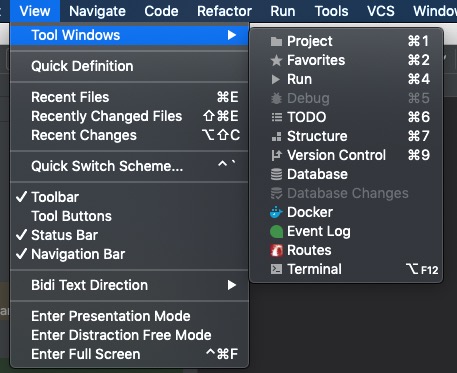
If the database is not displayed in RubyMine, navigate to:
View → Tool Windows → Database
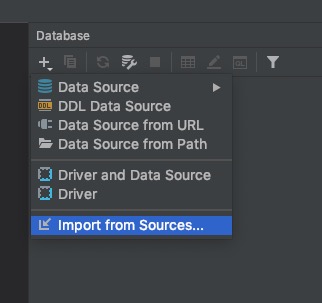
From the Database tab, select “Import from Sources.”
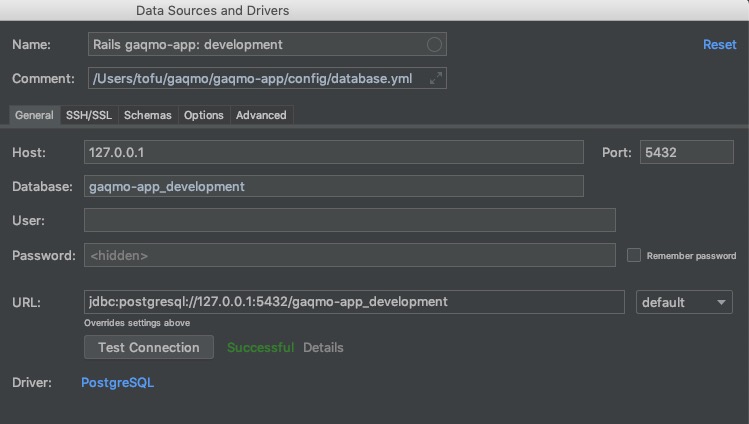
RubyMine will automatically configure the settings. Run Test Connection and ensure it displays Successful.
After that, simply select the data you want to view.
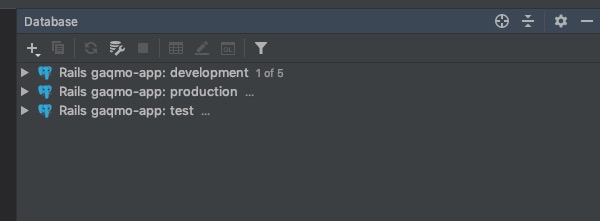
RubyMine is quite convenient for checking database contents, as it provides a user-friendly interface.
Below is an introduction code for reference:
Referral link for a new license with applicable discounts

Tags
RubyMine
See Also

